MetaTrader journal & performance analytics

Your trading has a SWOT. This is where you read it.

SWOTChart turns your MT4 and MT5 history into a weekly read on what's working, what's costing you, and what the calendar is about to do to you — then puts your own rules back in front of you before the session opens.

MetaTrader 4 & 5 · Multi-broker · Exports to Excel · Free in early access

app.swotchart.com/home
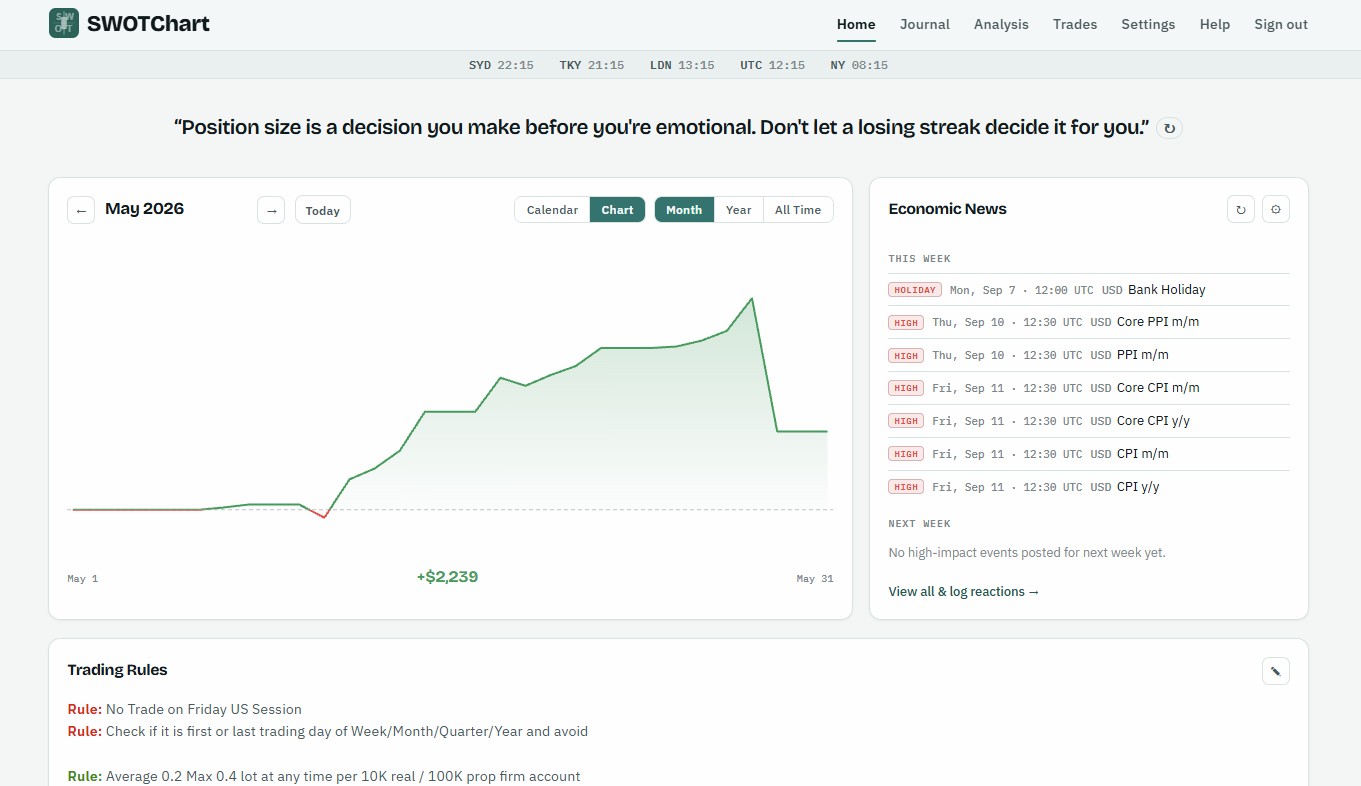
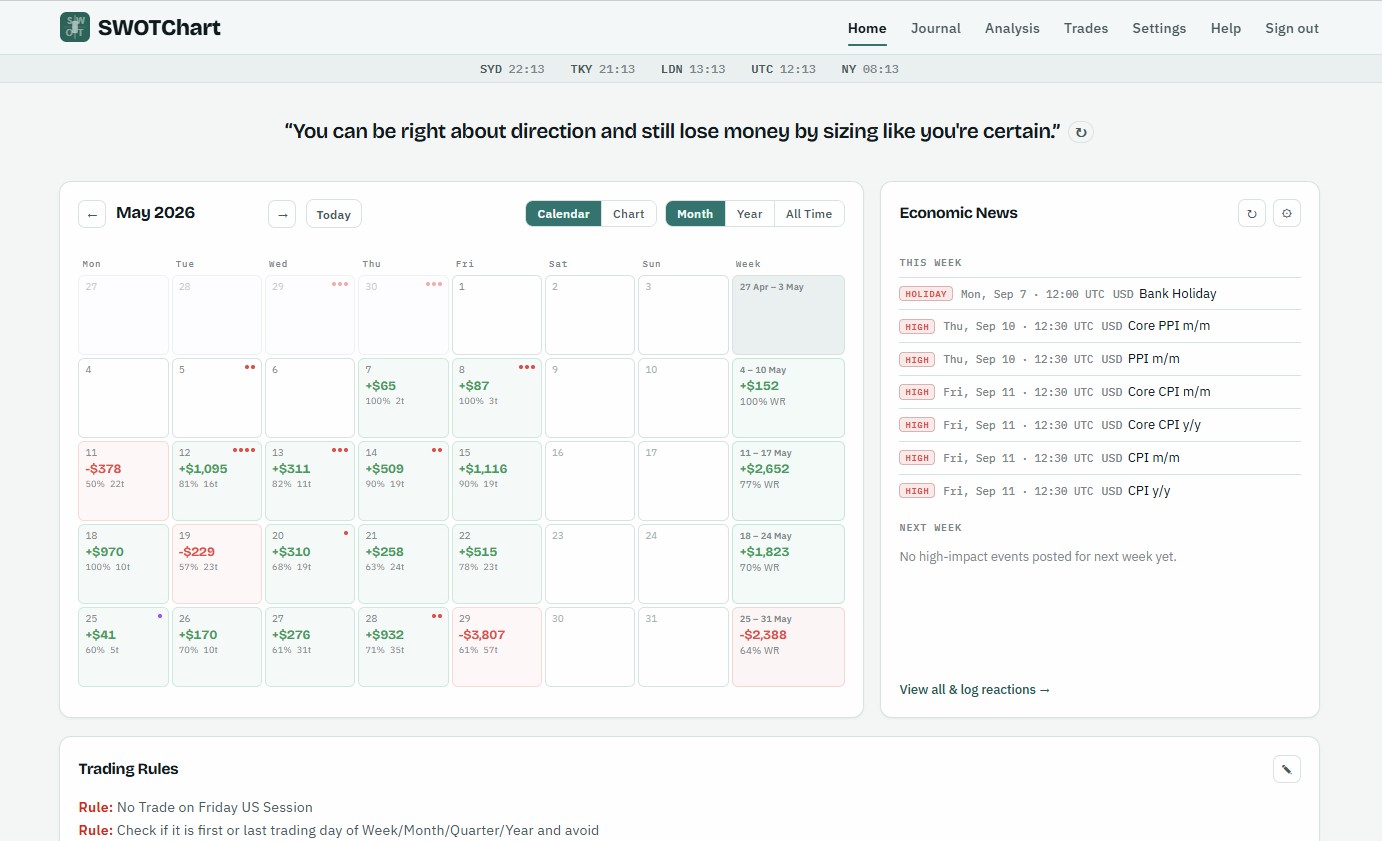
SWOTChart home page: a monthly profit-and-loss calendar with a weekly summary column and an economic-news panel

The home page — your month at a glance

A look inside

See it in action

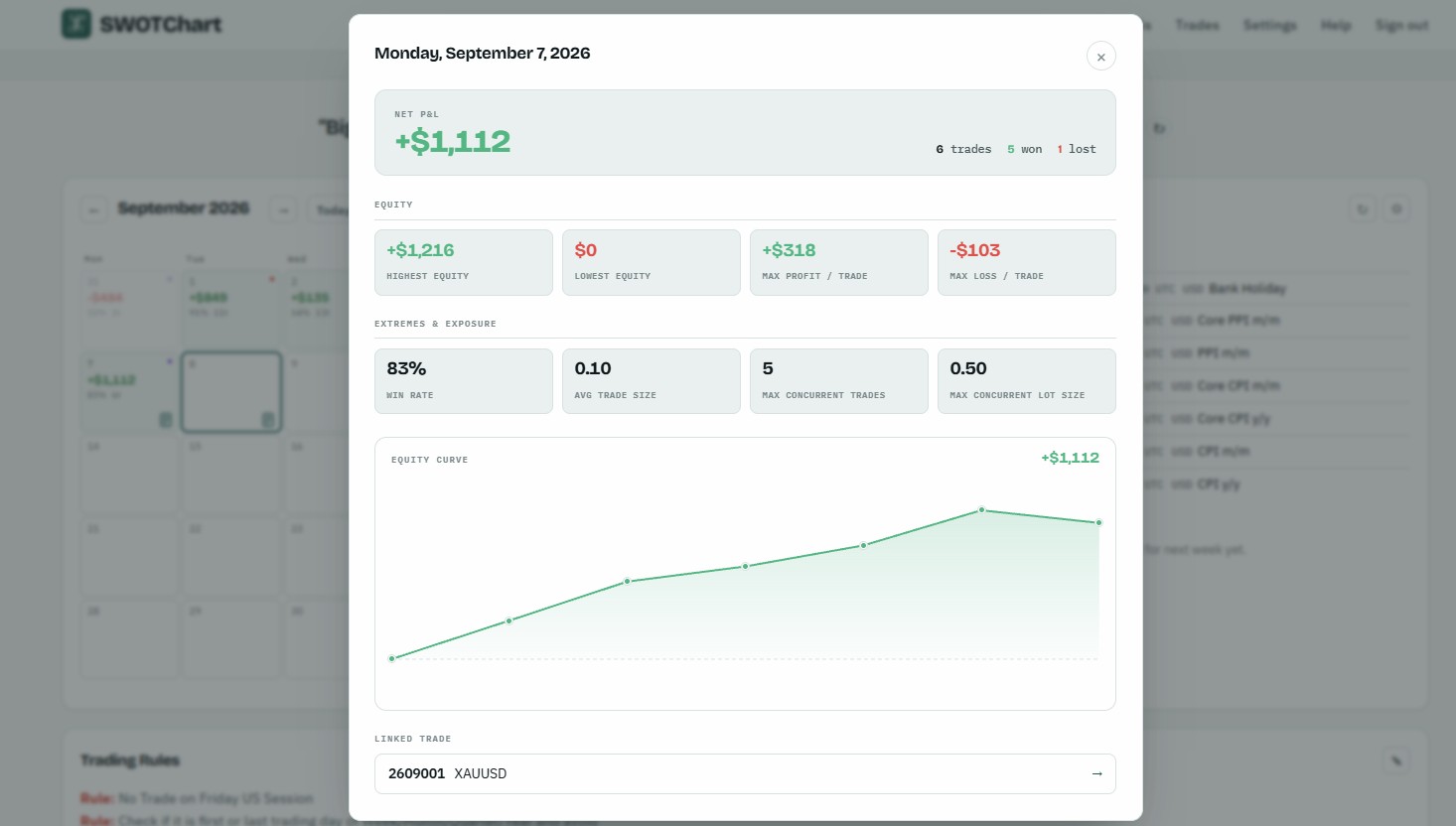
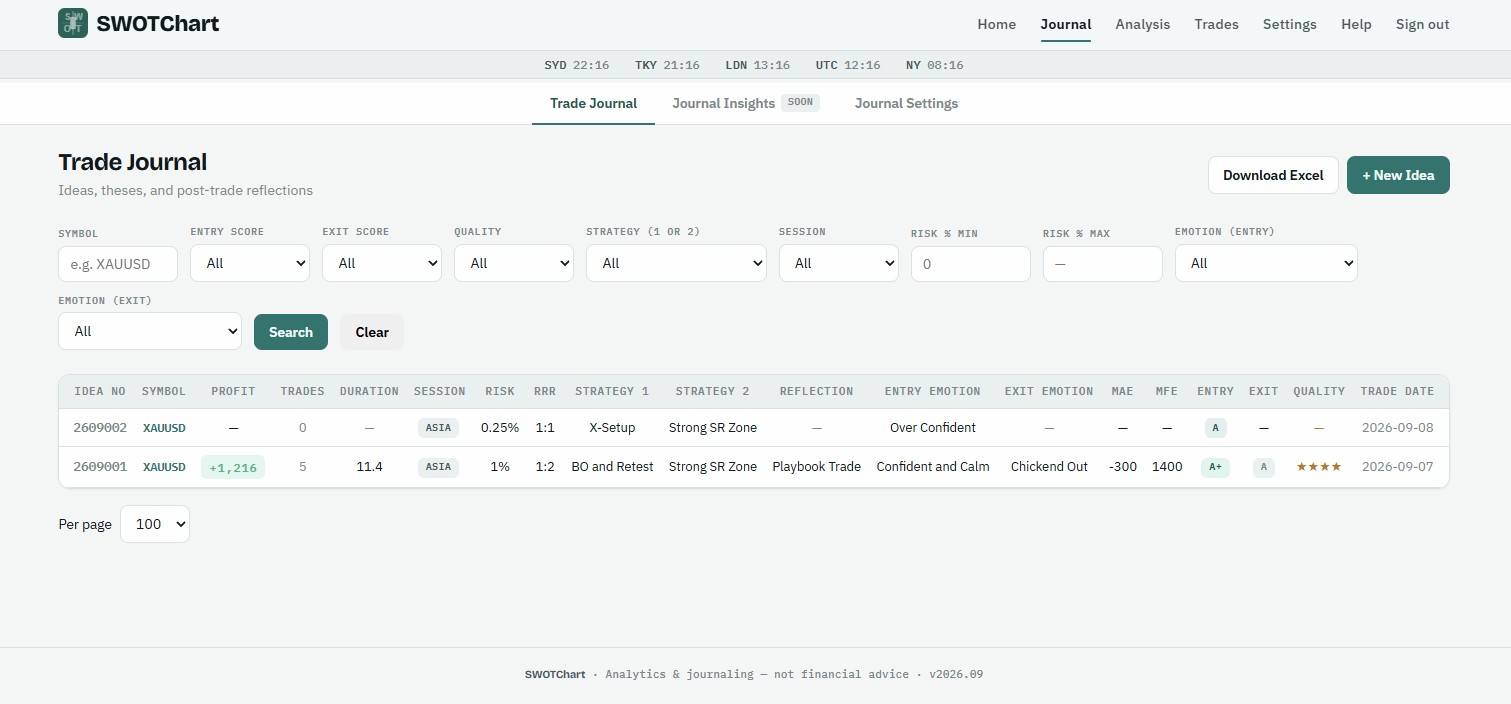
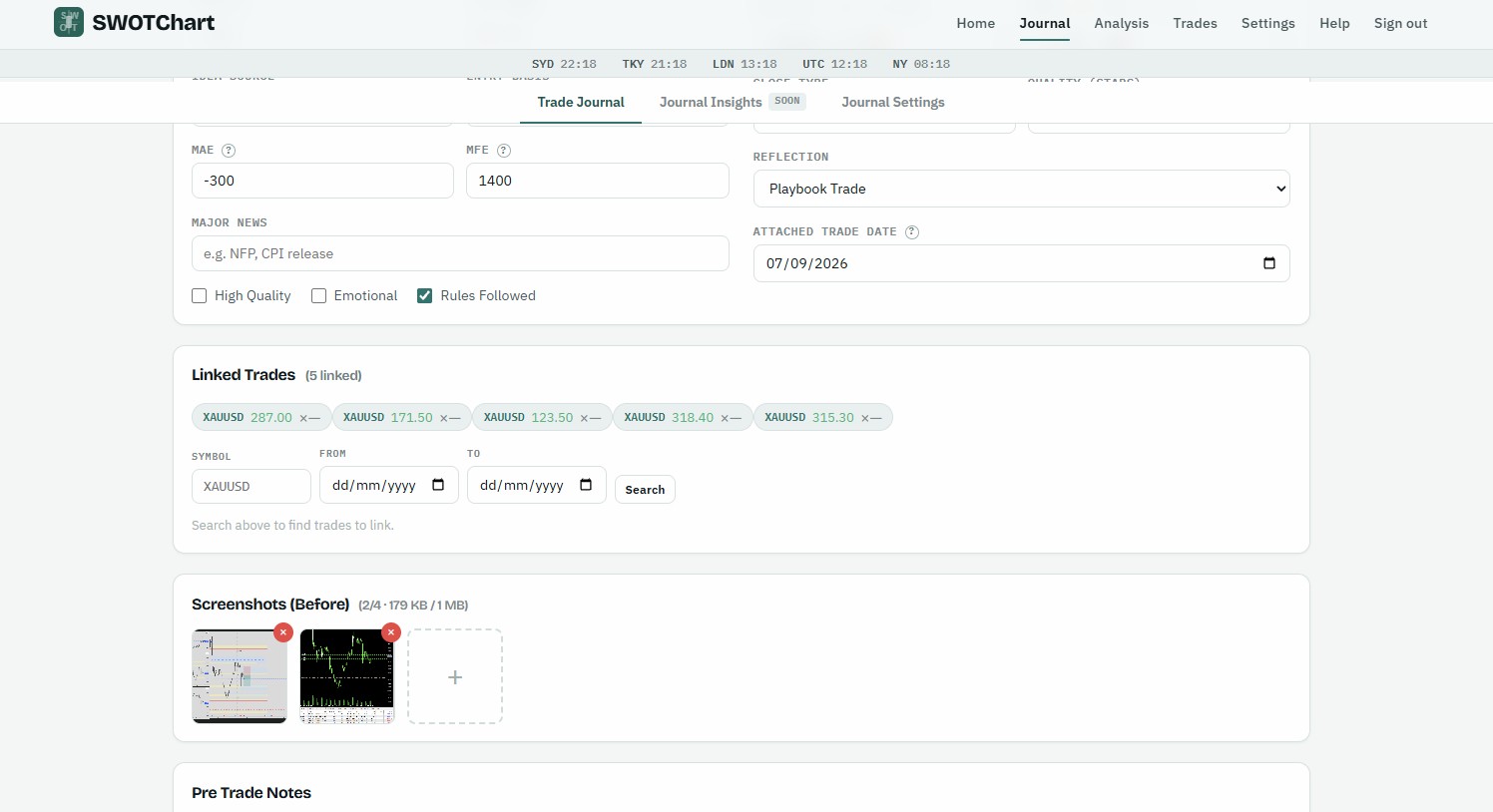
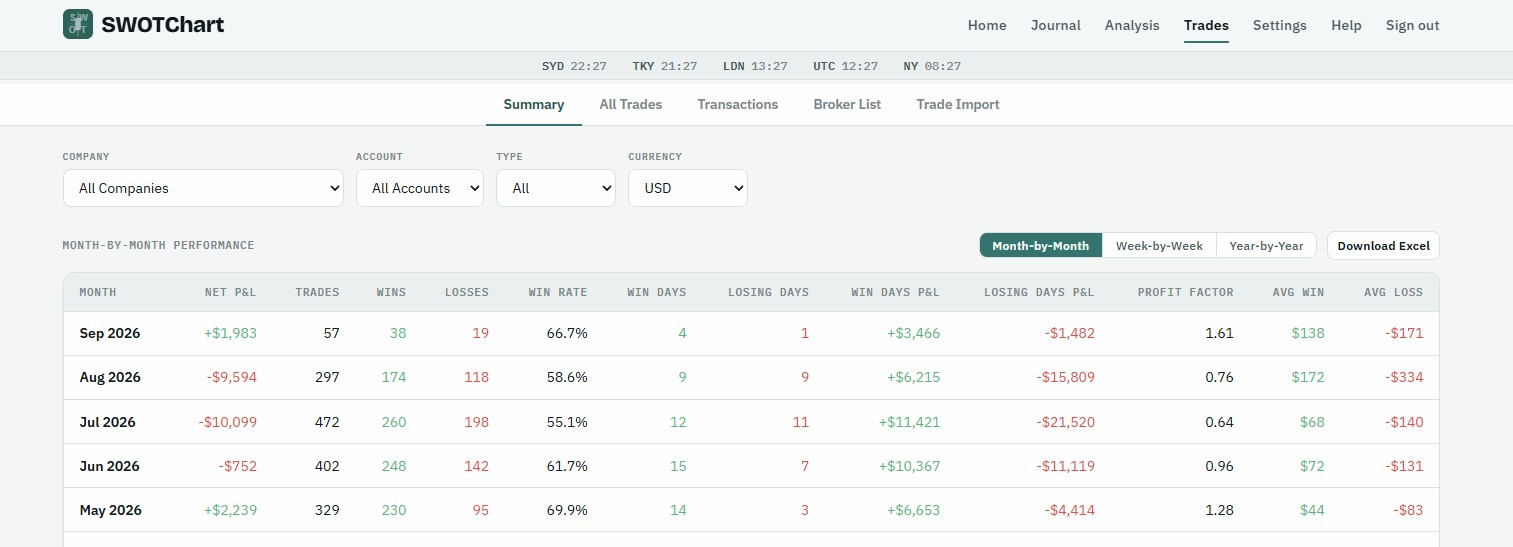
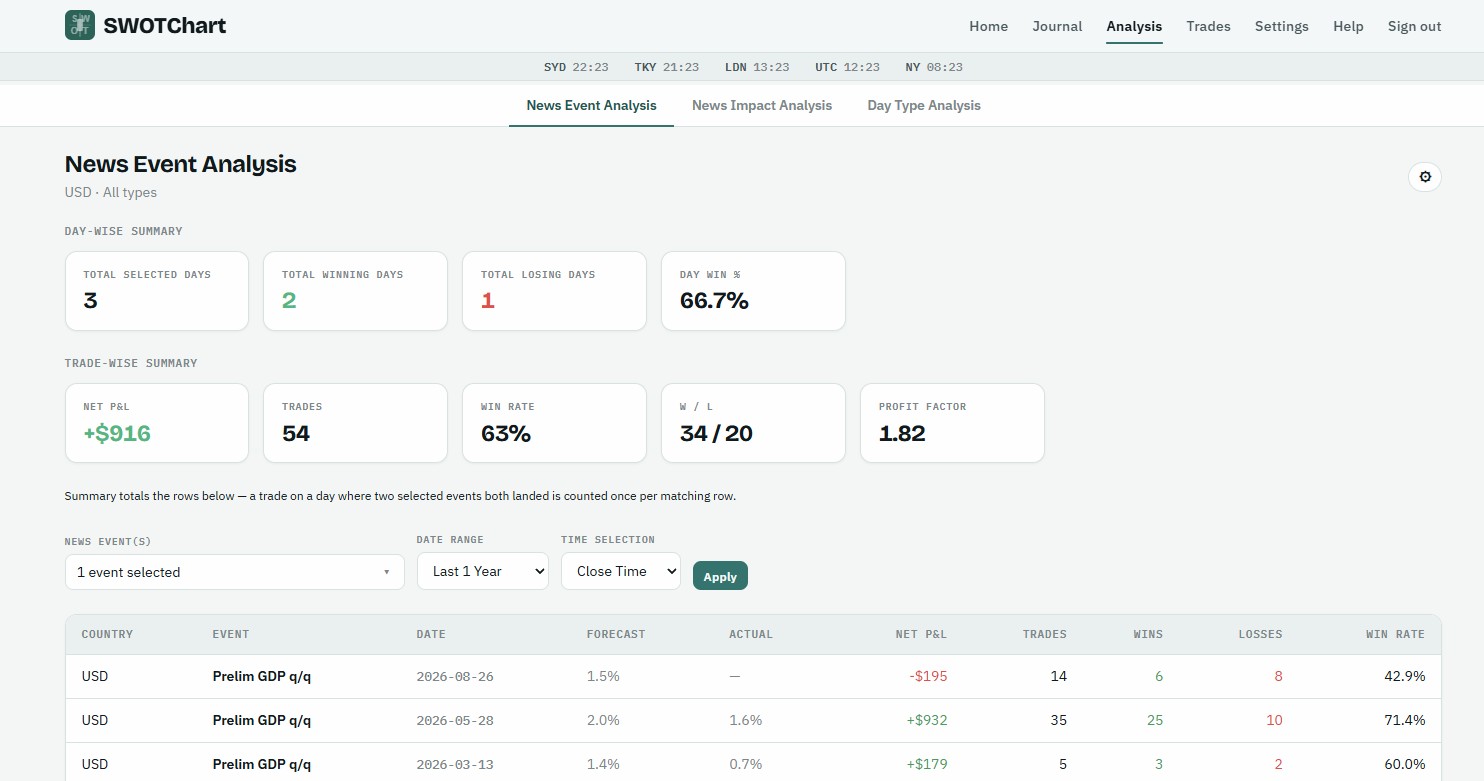
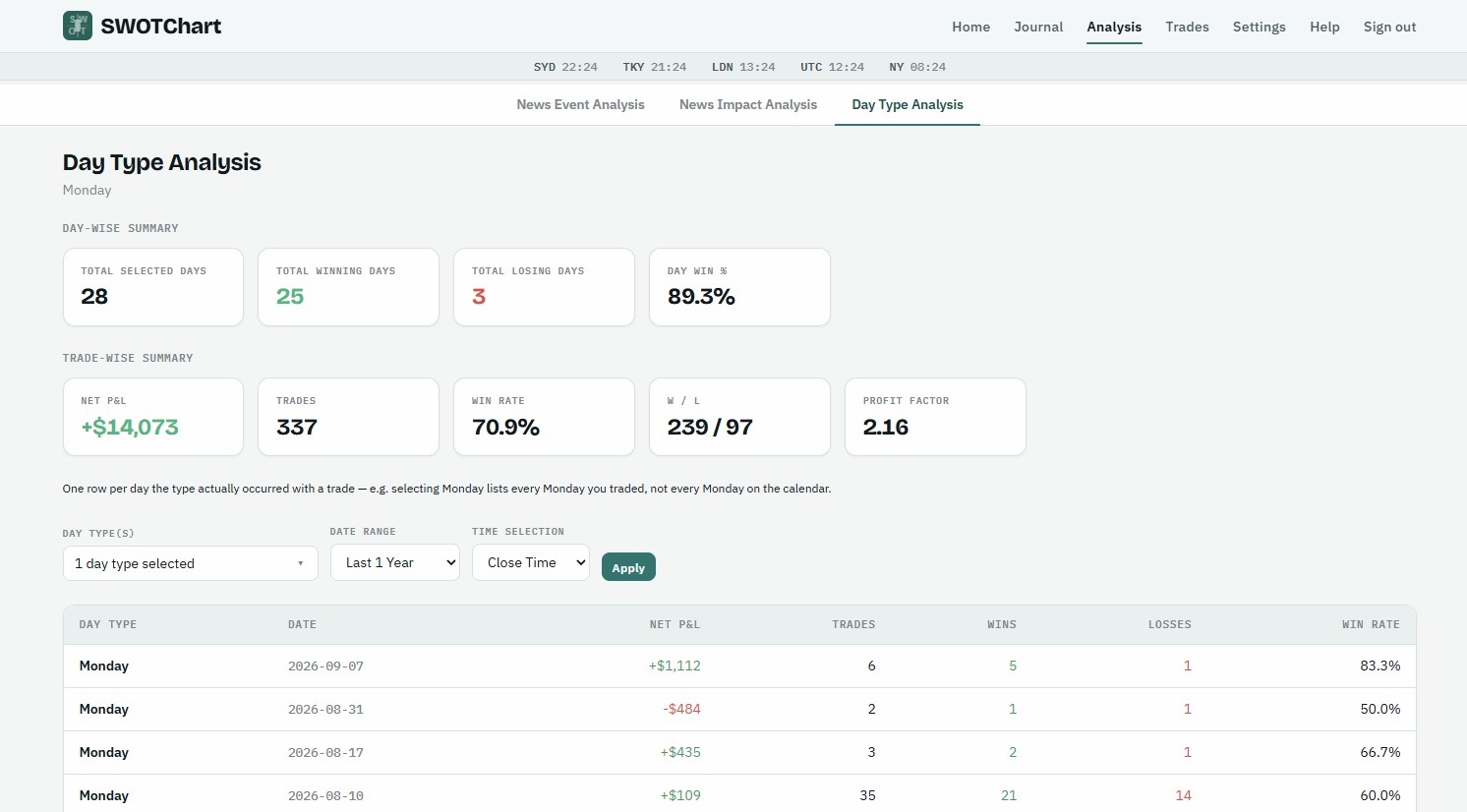
Real screens from the app — the same views your own MetaTrader history fills in.

The board

Four questions, one screen

Every view in SWOTChart answers one of these. Together they're the SWOT you'd draw for any position — turned on your own trading instead.

Strengths

See what's actually working, past the noise of a single good week.

  • Win rate, expectancy and profit factor split by setup, session and symbol
  • Your best hours ranked by realised P&L — London open, the NY overlap, the Asia range
  • Entry and exit scored A+ to C, so sound process shows even on losing trades

Weaknesses

Catch the repeating patterns that quietly drain the account.

  • Overtrading detection against your own 30-day baseline, flagged the day it happens
  • “One bad day carried the week” alerts when a single loss dominates
  • Emotional-state tags at entry and exit, matched against the outcome

Opportunities

Find the edge hiding in the calendar and the clock.

  • Performance around high-impact USD news, event by event, archived back to 2007
  • Day-type analysis: how Mondays, month-ends and quarter starts really treat you
  • MAE / MFE on every idea — where you're leaving pips on the table

Threats

Know the risk in front of you before the session opens.

  • Max drawdown from your live equity curve, per account and consolidated
  • Morning caution banners: month, quarter and financial-year boundaries, plus today's red news
  • Your trading rules pinned to the top of every login

Getting started

From statement to first review in an afternoon

  1. Connect

    Drop in an MT4 or MT5 statement (.htm or .xlsx), or run the read-only sync agent to pull new trades every day. Several brokers and accounts land on one timeline.

  2. Journal

    Log the idea behind each trade while it's fresh — thesis, strategy, session, screenshots pasted straight from the clipboard, and your emotional read at entry and exit.

  3. Review

    Weekly and monthly readouts in your display currency, FX-converted at each trade's close date, telling you what to repeat and what to cut.

Details that matter

The parts traders ask about

Multi-currency, consolidated
AUD, USD, EUR and GBP accounts on one P&L, converted at historical close-date rates and never restated when you change the display currency.
Session awareness
A live world-clock strip — Sydney, Tokyo, London, New York — and automatic Asia / London / overlap / NY tags on every trade from its open time.
Economic-calendar history
High-impact events archived continuously since 2007, so “how do I trade CPI” has an answer with a real sample size behind it.
Export everything
Every table — trades, weekly, monthly, financial-year (July–June) — drops to Excel, honouring the filters you set on screen.
Read-only by design
The sync agent authenticates with your investor password. SWOTChart can see your trades. It cannot open, modify or close them.
Most journals show you a prettier version of your account statement. SWOTChart leads with the habit, not the equity curve.

Questions

Before you sign up

Which platforms does it support?
MetaTrader 4 and MetaTrader 5. Import HTML reports or XLSX exports directly, or install the optional Windows sync agent for hands-off daily updates from MT5.
Can SWOTChart place or close trades?
No. Imports are files you upload. The sync agent uses your investor (read-only) password and has no ability to trade.
I trade several accounts across different brokers.
That's the default case. Every account, broker and base currency is consolidated onto one equity curve and one set of KPIs, with per-account breakdowns kept alongside.
Is my data private?
Your account is single-tenant. Screenshots are stored privately and served through short-lived links, and you can export everything to Excel at any time.
What does it cost?
SWOTChart is free while it's in early access.

Run your first review this weekend

Import a month of trades and see where last month actually went — about five minutes.

Start free